
This is independent editorial content. This page does not contain affiliate or paid signup links.
By the DailyCheddar Editorial Team | Prices checked on each app’s official site on Nov. 13, 2026
Last updated: November 13, 2026
Short answer: Mint is gone. Intuit shut it down in March 2024 and moved its users to Credit Karma, which tracks spending and net worth but isn’t a full Mint-style budget. The closest replacements today are Monarch Money ($99.99 a year) and Quicken Simplifi. For hands-on budgeting, try YNAB ($109 a year). For a free option, look at EveryDollar’s free version, Goodbudget’s free plan, Rocket Money’s free plan or the Empower Personal Dashboard.
Key takeaways
- Mint shut down on March 23, 2024. Intuit pointed users to Credit Karma, and mint.intuit.com now says Mint “has been reimagined on Credit Karma.”
- Most full-featured budgeting apps charge about $75 to $120 a year. Several have free plans or free trials.
- Pick by style: zero-based budgeting (YNAB, EveryDollar), envelopes (Goodbudget), or automatic tracking like Mint had (Monarch, Simplifi, Copilot, PocketGuard, Rocket Money).
- Free trials renew. Monarch and PocketGuard trials turn into paid plans unless you cancel. Set a reminder.
- Prices change often. We list each app’s regular price as of Nov. 13, 2026. Some show lower sale prices for new members.
What happened to Mint?
Mint was a free budgeting app owned by Intuit, the company behind TurboTax and Credit Karma. On Oct. 31, 2023, Credit Karma announced that “Mint is going away” and that it was “reimagining Mint as part of Intuit Credit Karma” (Credit Karma). The shutdown date moved from Jan. 1, 2024, to March 23, 2024, when Mint closed for good (The Verge).
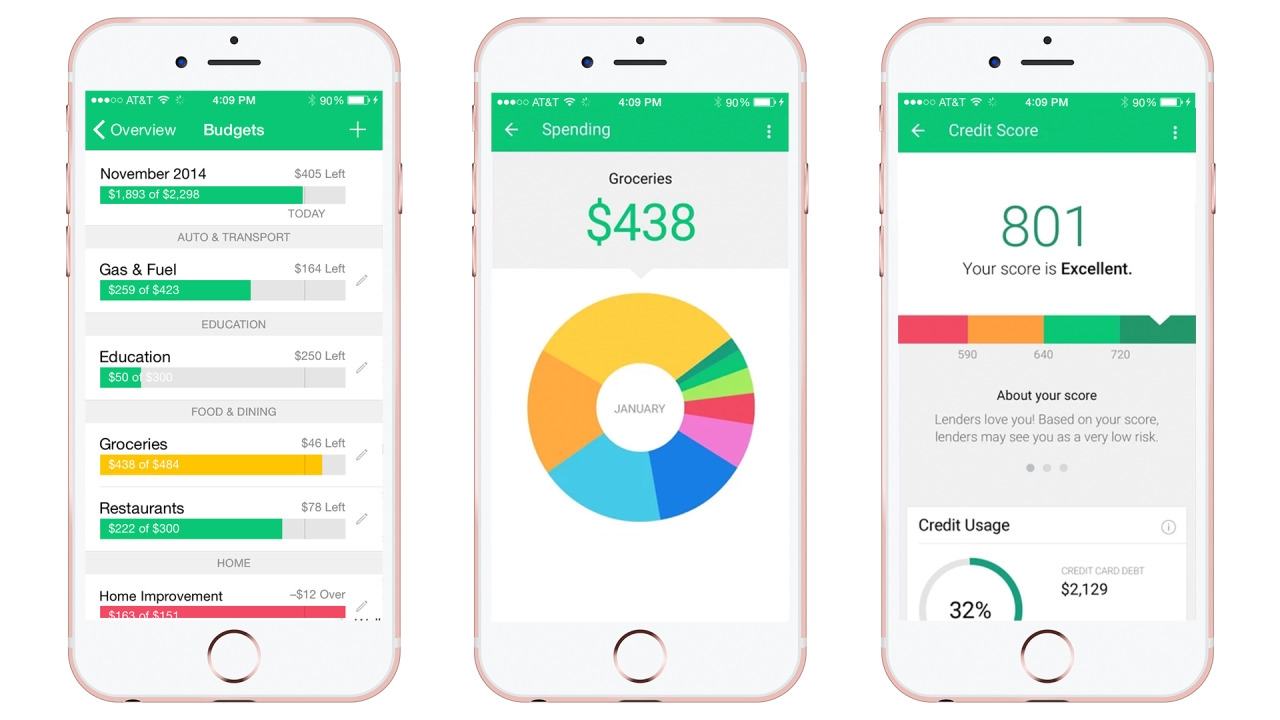
Today, the old Mint site says popular Mint features moved to Credit Karma. That includes linking accounts, reviewing transactions, tracking spending by category and tracking net worth (Mint). Credit Karma is free. If you want monthly category budgets, goals and planning tools like Mint had, you’ll likely want one of the apps below.
Disadvantages of Mint (and why people wanted alternatives)
Even before it closed, Mint had trade-offs that pushed some users to look elsewhere:
- It was paid for by ads. Mint was free because it showed offers for credit cards, loans and other products.
- Bank connections could break. Like any app that links to your bank, syncing could stop and need to be fixed.
- It was mostly a tracker. It showed where money went. Some people wanted a stricter plan for every dollar.
- It shut down. The biggest downside: users had to export their data and move to another app.
The lesson: pick an app with a clear business model, and export your data now and then so you’re never stuck.
Best budgeting apps at a glance
| App | Best for | Regular price (as of Nov. 13, 2026) | Free option? | Platforms |
|---|---|---|---|---|
| Monarch Money | Closest Mint-style replacement | $14.99/month or $99.99/year (Core) | 7-day free trial | Web, iOS, Android |
| YNAB | Zero-based budgeting | $14.99/month or $109/year | 34-day free trial; free year for college students | Web, iOS, Android |
| Quicken Simplifi | Low-cost automatic tracking | $6.99/month, billed annually | No | Web, iOS, Android |
| Copilot Money | Apple users | $18/month or $119/year | No | iPhone, iPad, Mac, web (no Android) |
| Rocket Money | Tracking subscriptions | Free plan; Premium is pay-what-you-choose (about $7–$14/month); Premium+ $15/month | Yes | Web, iOS, Android |
| EveryDollar | Beginners who want a simple plan | Free version; Premium $79.99/year or $17.99/month | Yes | Web, iOS, Android |
| Goodbudget | Envelope budgeting | Free plan; Premium $10/month or $80/year | Yes | Web, iOS, Android |
| PocketGuard | Simple spending limits | $12.99/month, $74.99/year or $149.99 lifetime | 7-day free trial | Web, iOS, Android |
| Empower Personal Dashboard | Net worth and investments | Free | Yes | Web, iOS, Android |
Sources: each app’s official pricing or plan page, linked in its section below. Checked Nov. 13, 2026. Prices can change, and app-store prices may differ.
The best budgeting apps, reviewed
Monarch Money: best Mint-style replacement
Monarch Money links your bank, card, loan and investment accounts and sorts your transactions into a budget, much like Mint did. You can share it with a partner and track goals and net worth.
- Cost: Core plan $14.99 a month or $99.99 a year. A Plus plan with extra planning and investment tools is $199.99 a year.
- Free trial: 7 days. A payment method is required, and it renews unless you cancel in settings.
- Good to know: Monarch says it doesn’t sell your data to advertisers, and it offers a money-back guarantee.
Pros: Feels most like Mint; works for couples; paid for by subscriptions, not ads. Cons: No free plan; one of the pricier options.
YNAB: best for zero-based budgeting
YNAB (You Need A Budget) uses a zero-based method. That means you give every dollar a job before you spend it. It takes more effort than Mint, but many people like the control.
- Cost: $14.99 a month or $109 a year.
- Free trial: 34 days. YNAB says you won’t be charged unless you subscribe, when you sign up directly with YNAB.
- College students: YNAB offers a free 365-day trial with proof of enrollment.
Pros: Clear method; strong learning tools. Cons: Learning curve; no free plan after the trial.
Quicken Simplifi: best low-cost automatic tracker
Quicken Simplifi tracks spending, bills and savings goals and shows a spending plan for the month.
- Cost: $6.99 a month, billed annually (regular price). Quicken was showing a lower first-year price for new members through Nov. 29, 2026.
- Good to know: You pay for the year up front.
Pros: Low price for a full tracker; good bill and cash-flow view. Cons: No free plan; billed yearly.
Copilot Money: best for Apple users
Copilot Money is a polished budgeting and tracking app with an AI money assistant.
- Cost: $18 a month or $119 a year (it was showing a $109 yearly sale price on Nov. 13, 2026).
- Platforms: iPhone, iPad, Mac and web. There’s no Android app.
Pros: Clean design; connects to 16,000+ banks, per Copilot. Cons: Not for Android users; no free plan.
Rocket Money: best for tracking subscriptions
Rocket Money shows your subscriptions and recurring bills and can help you cancel ones you don’t want.
- Free plan: Subscription tracking, spending reviews and bill reminders.
- Premium: You choose your price, typically $7 to $14 a month, after a 7-day free trial. It adds custom budget categories, credit score tracking and subscription cancellation help.
- Premium+: $15 a month. As of Nov. 2, 2026, bill negotiation is only offered to Premium+ members.
Source: Rocket Money Help Center.
Pros: Useful free plan; good at finding forgotten subscriptions. Cons: Budget categories need Premium; pricing varies by person.
EveryDollar: best for beginners
EveryDollar, from Ramsey Solutions, is a simple zero-based budget app.
- Free version: You can use it as long as you want, entering transactions yourself.
- Premium: $79.99 a year or $17.99 a month, after a 14-day free trial for new users.
Pros: Easy to start; real free version. Cons: Bank syncing and extra features need Premium; the monthly plan costs a lot.
Goodbudget: best envelope budgeting app
Goodbudget puts the old cash-envelope method in an app. You split your money into “envelopes” like groceries and gas, and spend from them.
- Free plan: 20 envelopes (10 regular plus 10 more), 1 account, 2 devices and 1 year of history.
- Premium: $10 a month or $80 a year. Adds unlimited envelopes and accounts, 5 devices, 7 years of history and automatic bank sync (US banks only).
Pros: Great for couples sharing a budget; useful free plan. Cons: Free plan means typing in transactions yourself.
PocketGuard: best for simple spending limits
PocketGuard links your accounts and shows how much you have left to spend after bills and goals.
- Cost: $12.99 a month, $74.99 a year or $149.99 one time for lifetime access.
- Free trial: 7 days.
Pros: Simple “what’s left to spend” view; lifetime option. Cons: No free plan listed; monthly plan is pricey.
Empower Personal Dashboard: best free tool for net worth
The Empower Personal Dashboard is free. It links your bank, credit card, loan, investment and retirement accounts. You can track spending and cash flow, set a monthly budget and see your net worth. It’s strongest for investments and retirement planning.
Pros: Free; great net worth and retirement tools. Cons: Basic budgeting compared with paid apps; Empower also sells paid financial services.
How to choose a budgeting app
- Decide how hands-on you want to be. If you want to plan every dollar, try YNAB or EveryDollar. If you just want to see where money goes, try Monarch, Simplifi or Copilot.
- Set a price limit. Paid apps run about $75 to $120 a year at regular prices. A free plan may be enough to start.
- Check the platforms. Copilot has no Android app.
- Use the free trial on purpose. Link your accounts on day one so you can really test it, and set a reminder before it renews.
- Look at security. Bank-linked apps usually connect through a third-party service. Read the app’s security page and turn on two-factor login.
Free ways to budget without an app
You don’t need to pay to budget. A simple spreadsheet works well. Many banks also show spending by category in their own apps. Start with our guide on how to create a budget that works, then build a cushion with these emergency fund tips.
How we picked these apps
We looked at apps people commonly use to replace Mint. We compared cost, free plans and trials, budgeting style, bank syncing and platforms. We checked prices and plan details on each company’s own website on Nov. 13, 2026. We used regular prices, not short-term sales, and noted sales when we saw them. No app paid to be on this list, and this page has no affiliate links.
FAQs
What happened to Mint?
Intuit shut Mint down on March 23, 2024, and moved users to Credit Karma. Credit Karma kept some Mint features, like transaction review, spending by category and net worth tracking.
What is the best free budgeting app?
It depends on your style. EveryDollar and Goodbudget have free plans for hands-on budgets. Rocket Money’s free plan tracks subscriptions and bills. The Empower Personal Dashboard is free and good for net worth.
What app is most like Mint?
Monarch Money and Quicken Simplifi are the closest to Mint. Both link your accounts, sort your spending automatically and help you set a budget. Neither is free.
Is Credit Karma a good replacement for Mint?
It can be if you mainly want to see transactions, spending and net worth for free. It’s not a full budgeting app like Mint was, so people who want category budgets often choose another app.
Are budgeting apps safe to link to your bank?
Most well-known apps use encryption and secure connection services. No app is risk-free, so use a strong password, turn on two-factor login and read each app’s security and privacy pages.
Is a paid budgeting app worth it?
It may be if it helps you stop overspending. Try the free trial first. If you don’t use it every week, a free app or a spreadsheet may be enough.
Bottom line
Mint isn’t coming back. If you want the closest replacement, try Monarch Money or Quicken Simplifi. If you want a stricter plan, try YNAB or EveryDollar. If you want to pay nothing, start with Goodbudget, Rocket Money’s free plan or the Empower Personal Dashboard. The best app is the one you’ll actually open every week.
Related reading: Credit Sesame review, Capital One Shopping vs. Rakuten and strategies for paying off debt.